Feedback #
The Feedback section allows users to share their experiences, report issues, and suggest improvements for the solar energy monitoring application.
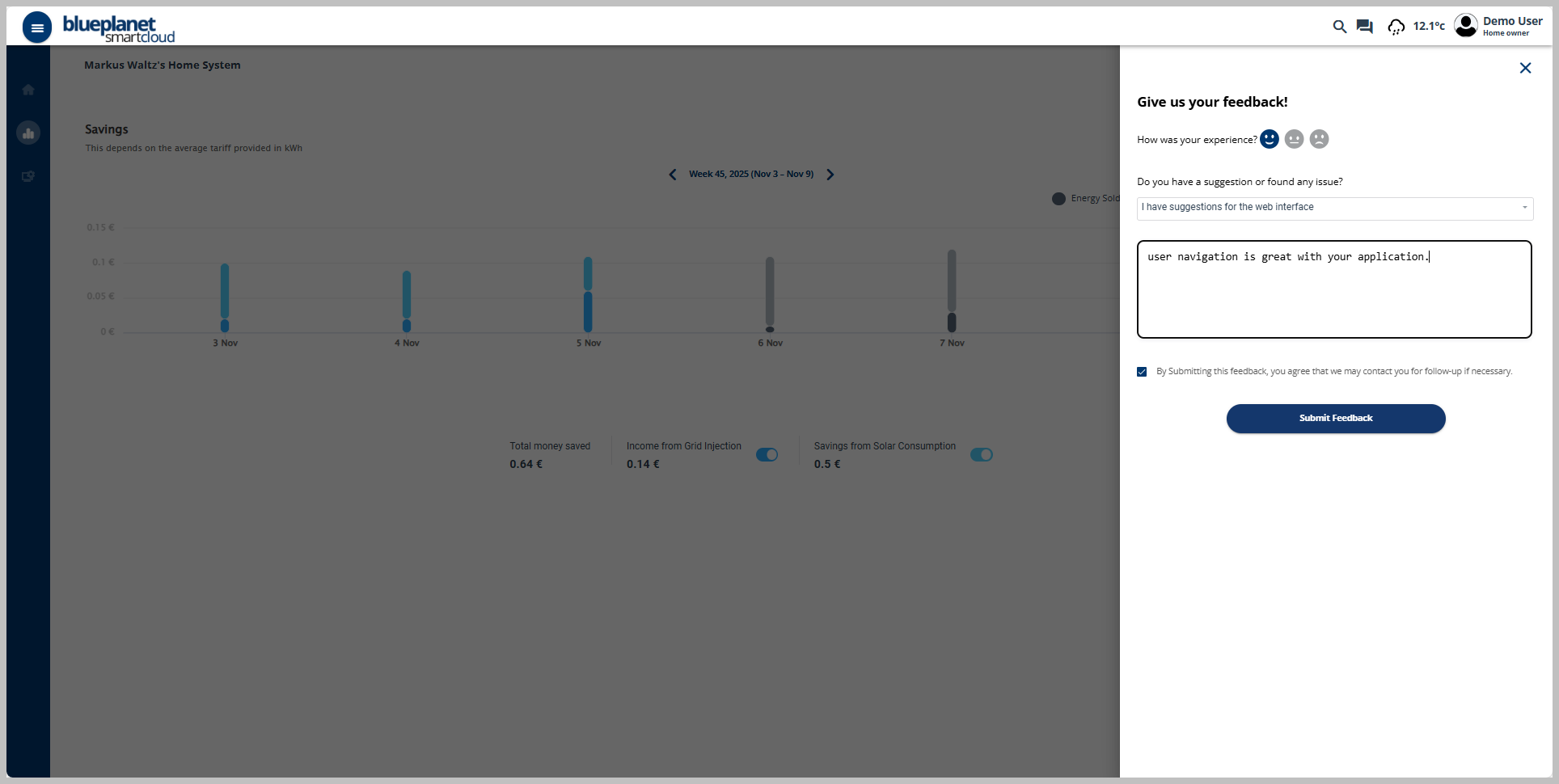 Pic1 - Feedback
Feedback Form Layout #
-
Experience Rating:
Users can rate their experience using smiley faces. -
Feedback Type Dropdown:
Options include:- I have feedback about the web interface
- I have suggestions for the web interface
- I found a bug in the web interface
- I have a problem connecting the device
- I have a problem seeing my data
-
Text Box for Comments:
Available for options 1, 2, and 3. -
Submit Button:
Visible only when a checkbox is selected for options 1, 2, or 3. -
Support Link:
Provides access to customer service resources. -
Legal Disclaimer:
By submitting this feedback, you agree that we may contact you for follow-up if necessary.
Special Behavior #
-
For options 4 and 5, the comment box is hidden and the submission button changes to Go To Customer Service.
-
For options 1, 2, and 3, a checkbox must be selected to enable the Submit button.
This layout ensures users can easily provide relevant feedback and receive support when needed.