User List #
This document describes the Company Management system screen for Company Owners and Installers.
Company Details Section #
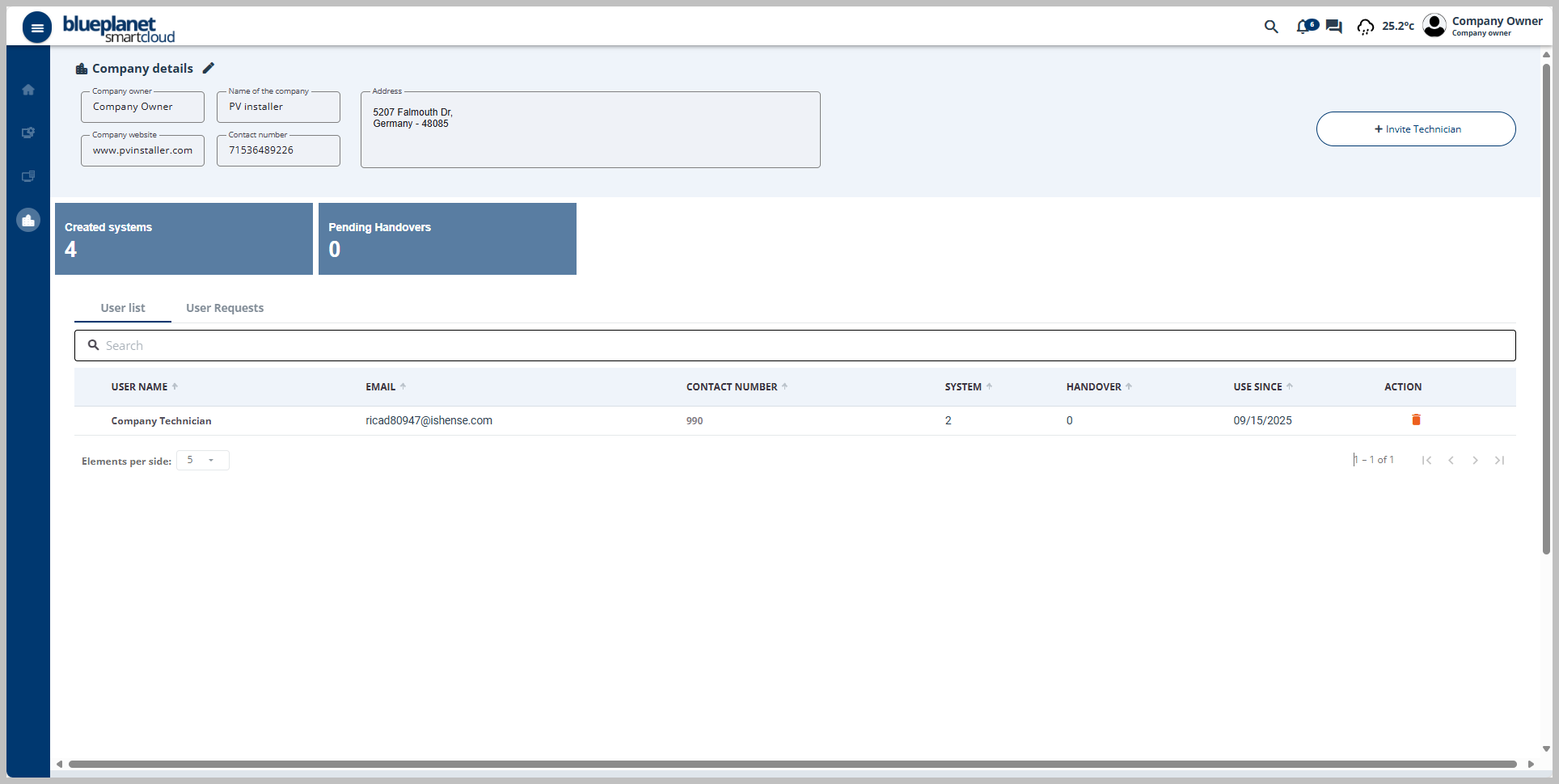
The Company Management page displays the following company information:
- Company Owner’s Name
- Company Name
- Company Website
- Contact Number
- Address
User Invitation #
- The company page provides an option to invite users by entering their email address.
- The owner can send an invite successfully.
- If the user has not received the invite, the owner can resend the invitation.
List of Users #
Once a user successfully registers, their details are displayed in the List of Users section. The following information is shown for each user:
- Username
- Email ID
- Contact Number
- Joined On
- Action (Edit and Delete icons)
Access request #
Technician made the request to company owner to register them their portfolio, their details are displayed in the User Requests section. The following information is shown for each user:
- Username
- Email ID
- Contact Number
- Requested On
- Action (Edit and Delete icons)
User Management Actions #
-
Edit:
The owner can edit a user’s details (User’s name, Contact number, Email ID) by clicking the Edit icon. -
Delete:
The owner can delete a user by clicking the Delete icon.- A confirmation pop-up is displayed before deletion.
- If deleted, the user’s details are completely removed from the system.
- If the same user rejoins the company, the owner can invite them again.
Technician Listing #
- All users and technicians working for the company are listed in the User List section.
This Company Management system ensures efficient user and technician management, providing options to invite, edit, delete, and track users associated with the company.