Handover system (Company) #
This document describes the process for handing over a system from a Company Owner to the Home Owner.
Functionality Overview #
- The system can be created by Company Owner.
- Once the system is set up for the homeowner, it needs to be officially handed over to them.
- A “System Handover” option is available after successful system setup.
- The Company Owner can use the “Handover” button to transfer ownership of the system to the homeowner.
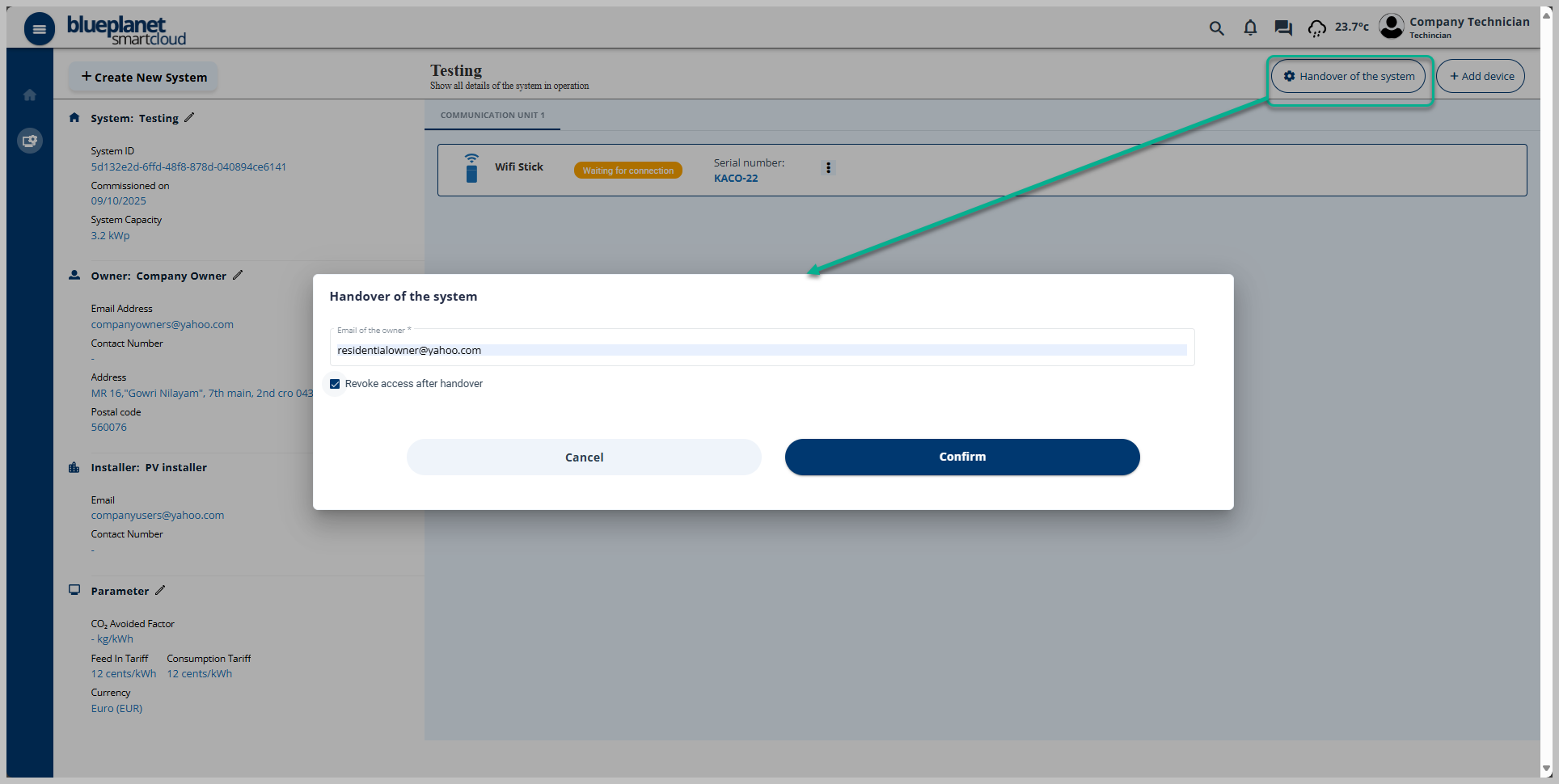 1.Handover system
Revoke Access After Handover #
- During the handover process, a checkbox is provided:
- If the checkbox is enabled: Company Owner will no longer have access to the system after handover.
- If the checkbox is not enabled: Company Owner will retain access to the system.
- Company Owner can add and delete communication units to the system.
For Company Owner #
- If the homeowner is not registered to KACO cloud, initiating handover displays a message:
“The system handover to XXX” with a “Pending” status. - After handover, the “System Handover” button changes to “Stop Handover”.
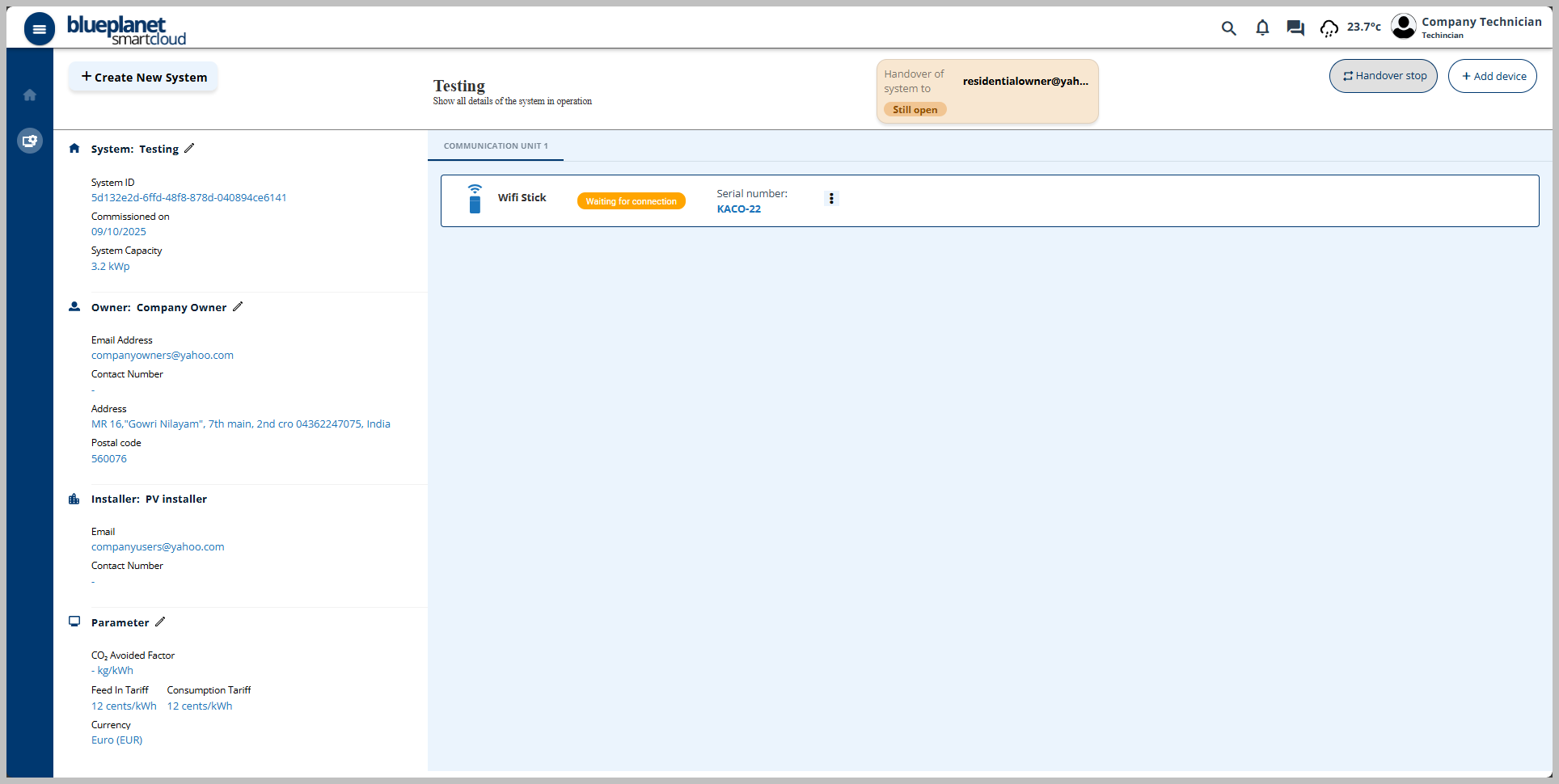
- Clicking “Stop Handover” revokes the handover, hides the status message, and the button reverts to “System Handover”.
2.Handover pending
For Owners #
- After handover, the new user can view, edit, and delete devices in the system.
Status Handling #
- Pending: Displayed when the homeowner is not registered and handover is initiated.
- Stop Handover: Allows the technician to revoke the handover if needed.
- System Handover: Available when the system is not currently handed over.
3.Handover pending
#
This process ensures a secure and clear transition of system control from technician to owner, with appropriate status updates and access management for both roles.