Edit system #
Editing a Session After System Creation #
After you have created a system, you can edit any session at any time using the pencil icon located on each session panel.
How to Edit a Session #
-
Locate the Session:
- Go to the system view where all sessions are listed.
- Each session (such as System Details, Owner Details, System Parameters, Installer.) will have a pencil icon next to it.
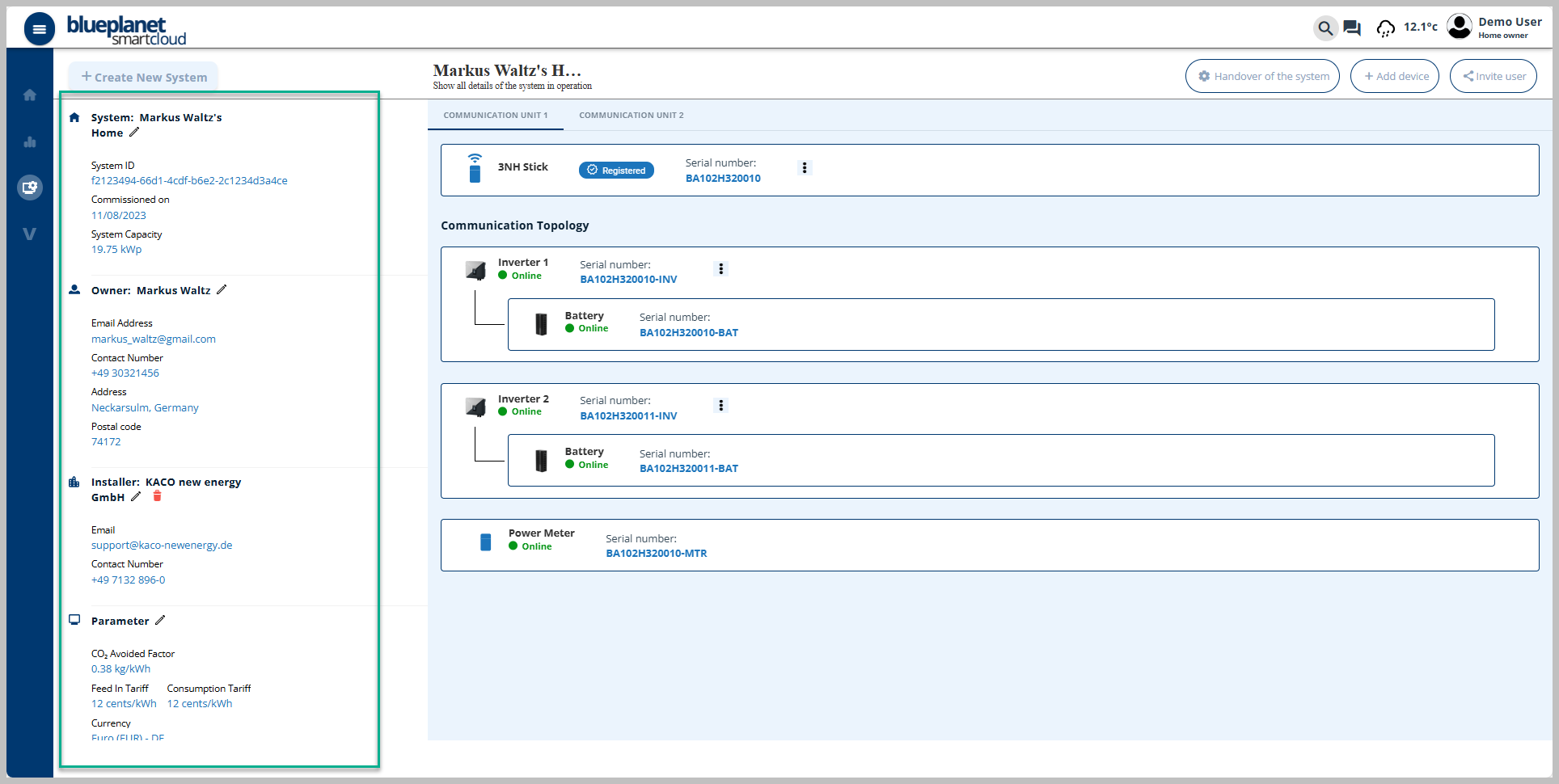 Pic-1 : Edit and delete option of systems parameters
-
Click the Pencil Icon:
- Click the pencil icon on the session you wish to edit.
- This will open the editing interface for that session.
-
Make Your Changes:
- Update the information as needed.
- Review your changes before saving.
-
Save the Changes:
- Click the ‘update’ button to apply your edits.
- The session will be updated immediately.
-
Removal of Installer:
- If the system is created by an installer or technician and handed over to the home owner, the installer section will have both Edit and Delete buttons.
- Edit Button: Allows the home owner to grant or revoke the installer’s access to the system.
- Delete Button: Used to remove the installer from the existing system entirely.
- To remove or update installer access:
- Locate the installer section in the system view.
- Click the pencil button to manage access (grant/revoke).
- Click the Delete button to remove the installer from the system.
Edit session #
S.no Session name Image Functionality 1 System Details 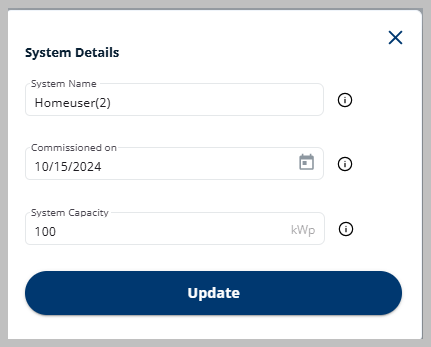
Edit System Name, Change Commissioned date and System Capacity . after edit click on Update button 2 Owner Details 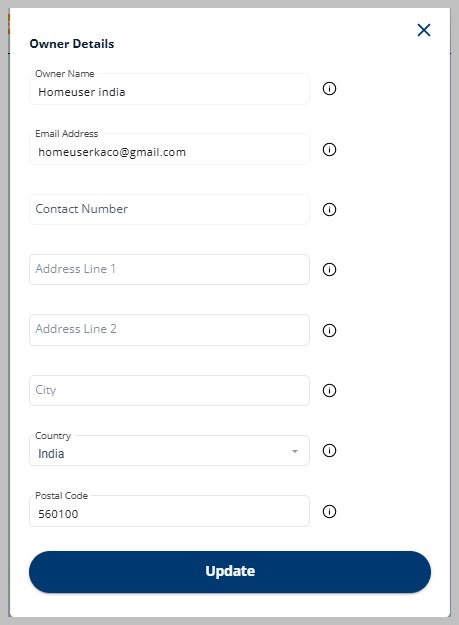
Edit Owner’s information like,Contact number, Address and postal code, after edit click on Update button 3 Installer Edit 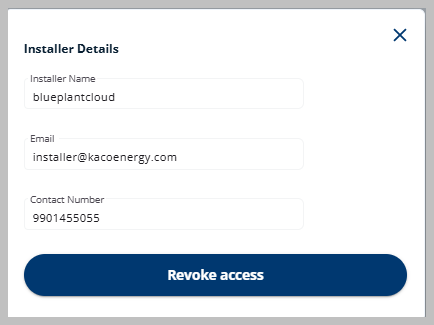
Edit will allow homeowner to Grant and Revoke the system access to Installer 4 Installer Delete 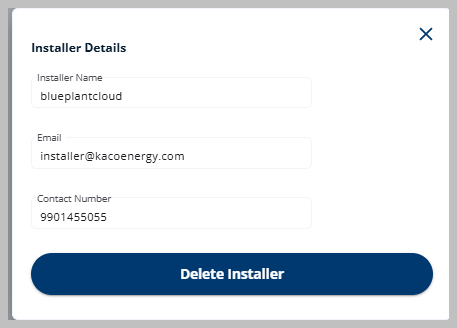
Delete will help the homeowner to remove the Installer from the system 5 Parameters 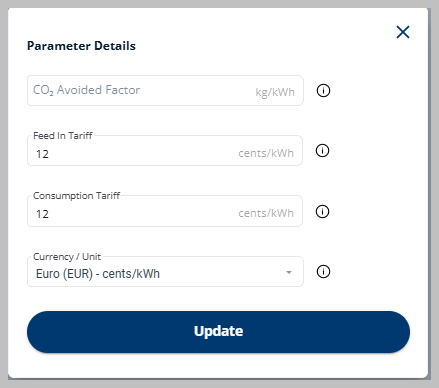
Edit system parameters like CO2 avoided factors, Feed in, Consumption Tariff and Change curreny with relevant units.
Notes #
- You can repeat this process for any session at any time.
- The pencil icon provides quick access to edit mode for each session.
- Ensure you save your changes before navigating away to avoid losing updates.