Add Technician #
As a company owner, you can invite technicians to join your company so they can work on your systems.
Invitation Process #
- The owner is provided with an option to invite a technician using their email ID.
- Once the invite is sent successfully, the technician receives an email with an invitation link.
- The technician uses the invitation link to complete registration.
- After successful registration, the technician appears in the company management screen under the list of users.
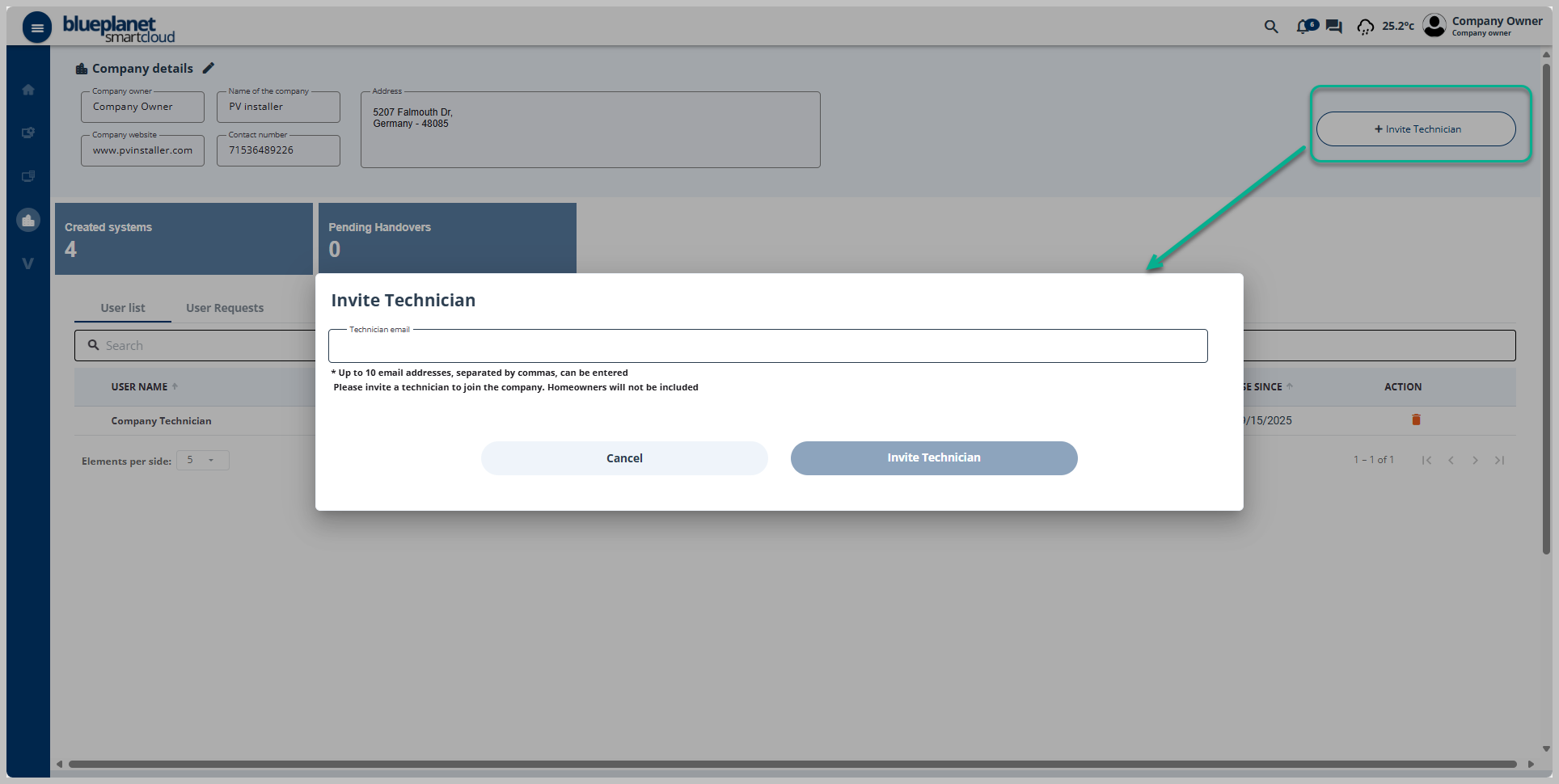 pic 1- Invitation to technician
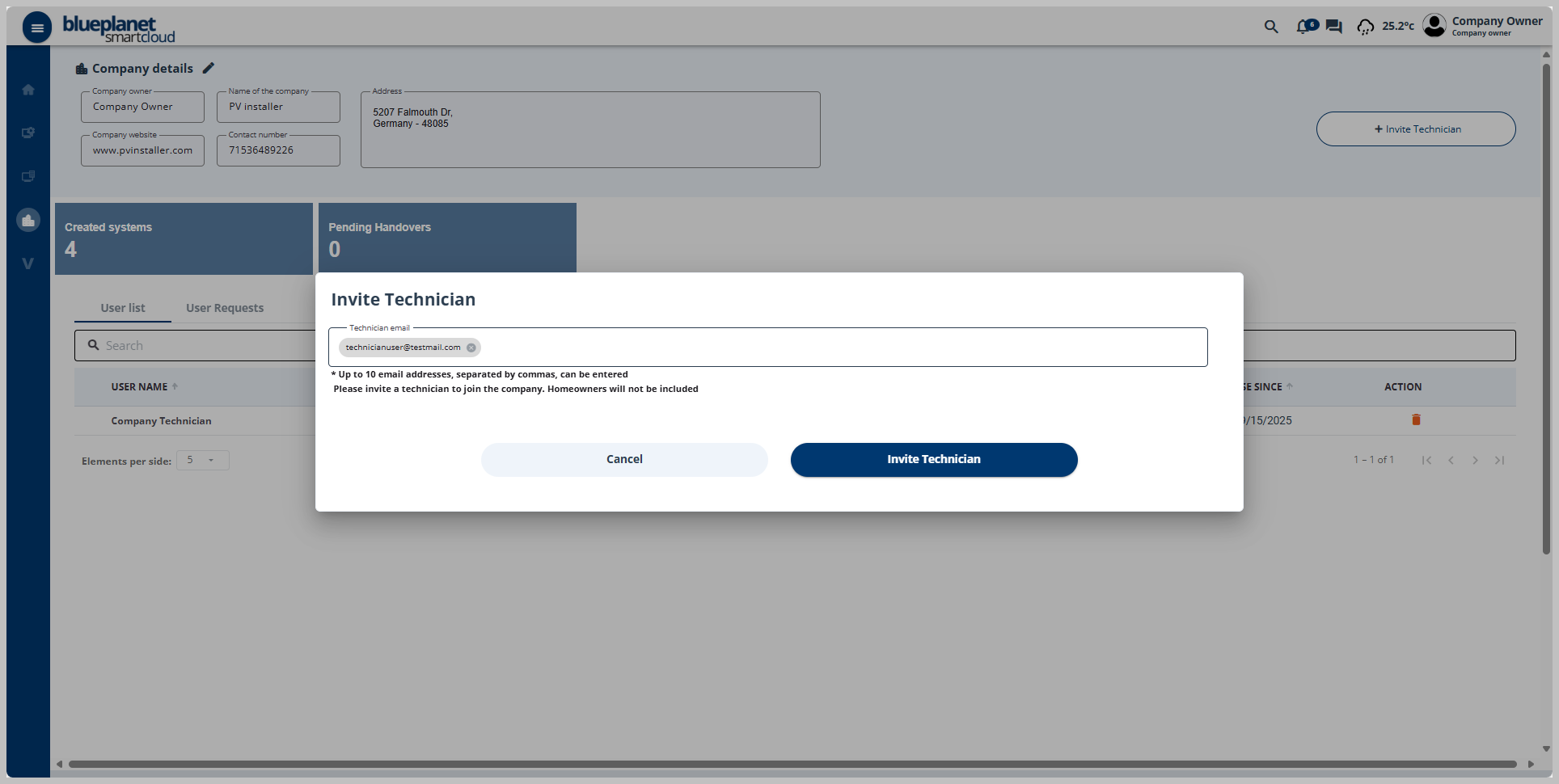 pic 2 - Send invitation
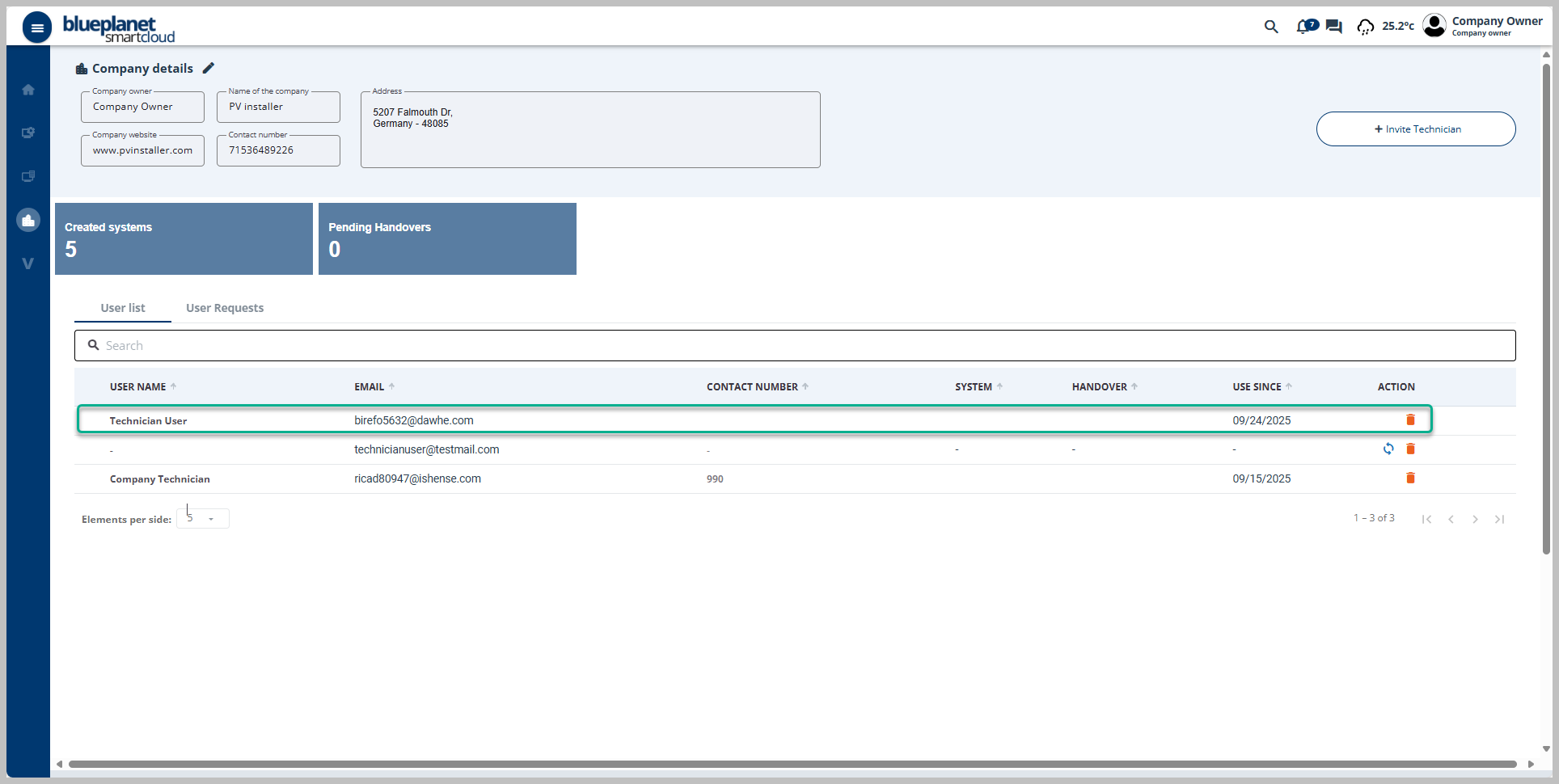 pic 3- User list
Additional Features #
- The owner can resend the invitation if the technician has not received it.
- Before deleting a technician, the owner is shown a confirmation pop-up to confirm the action.
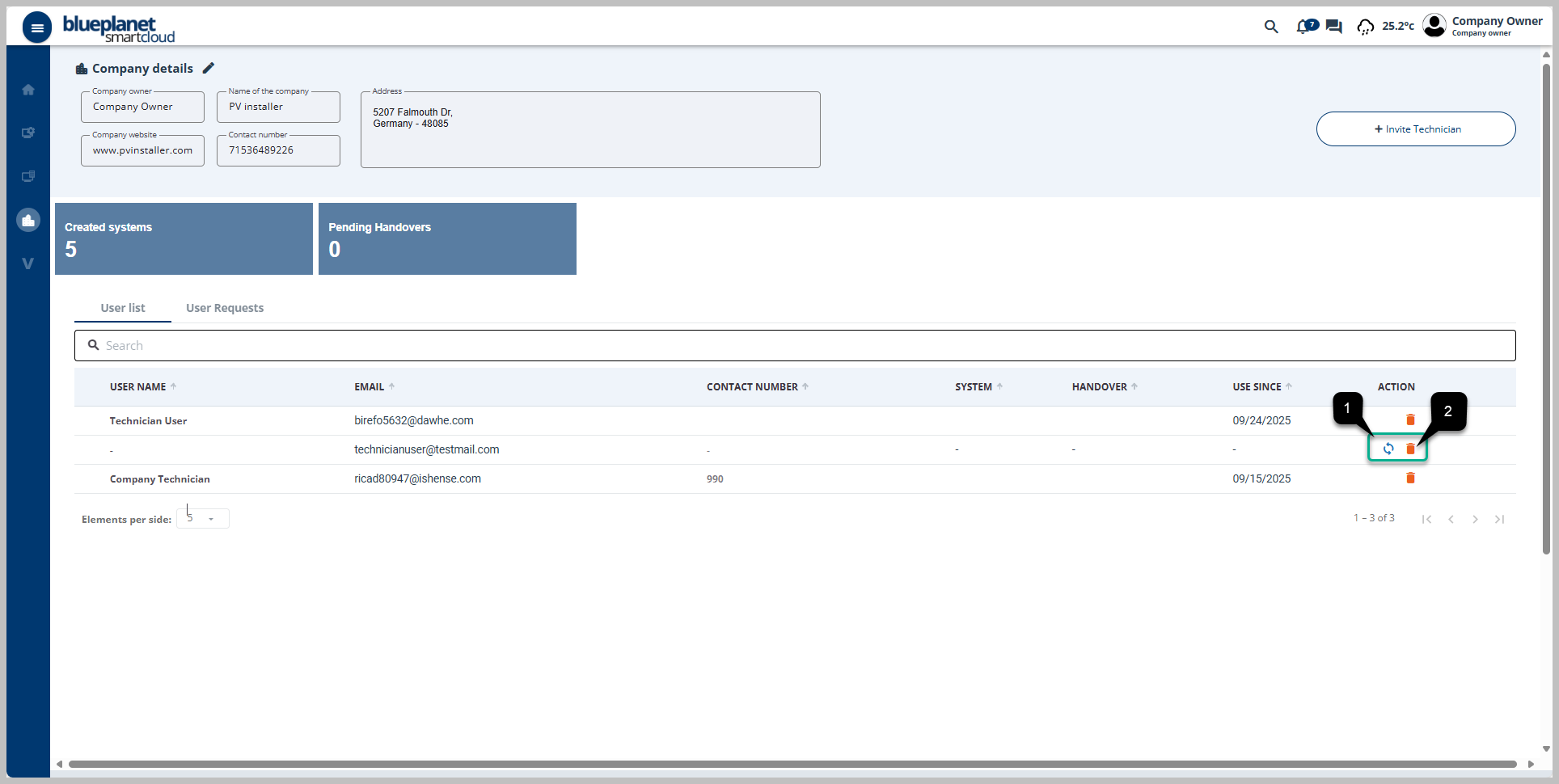 pic 4- Resend and Delete
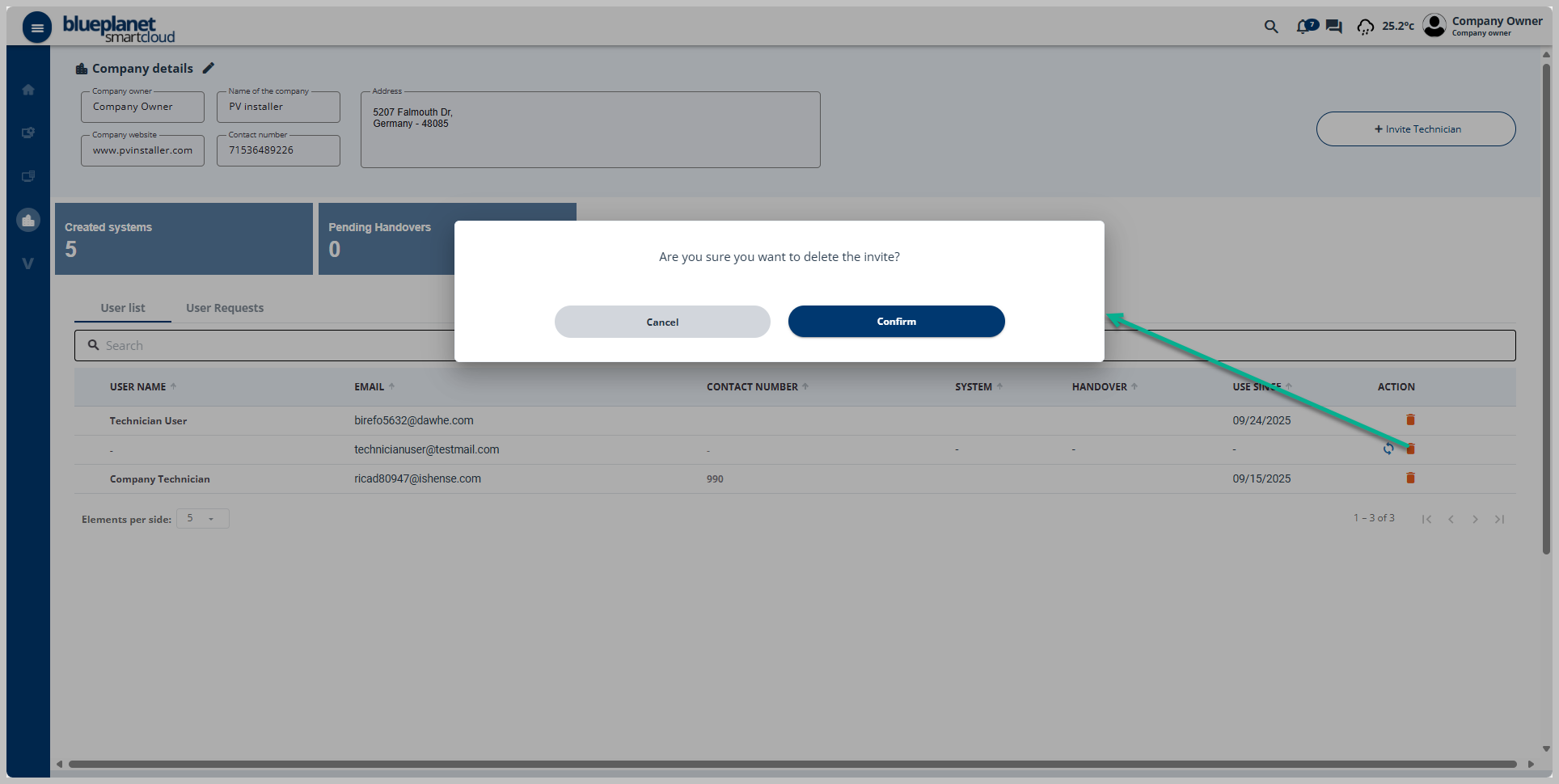 pic 5- Delete popup
This process ensures that only invited and registered technicians can work on company systems, and provides the owner with full control over technician management.